Netflix · Story Hub · 2025–Now

Story Hub

An AI workspace for understanding scripts and developing stories.

Teams needed different answers from the same screenplay, but the context lived across documents and conversations. I designed a shared AI workspace where people could check the evidence, develop ideas, and keep production context together.

Weeks → hoursScreenplay coverage in a 12-title pilot.

My contribution

I led the interaction model, agent UX, and orchestration across desktop and mobile, working with product, engineering, ML, and platform partners.

01 / The workspace

Give every production a shared home.

I organized the experience around the production, so scripts, people, and generated material stayed together as work moved forward.

A home for the production.Scripts, analysis, people, and creative material stay connected.
The mobile workspaceProduction context and creative actions, together.
The asset workspaceGenerated and collected material stays with its production.
Explore the details
1 / 4
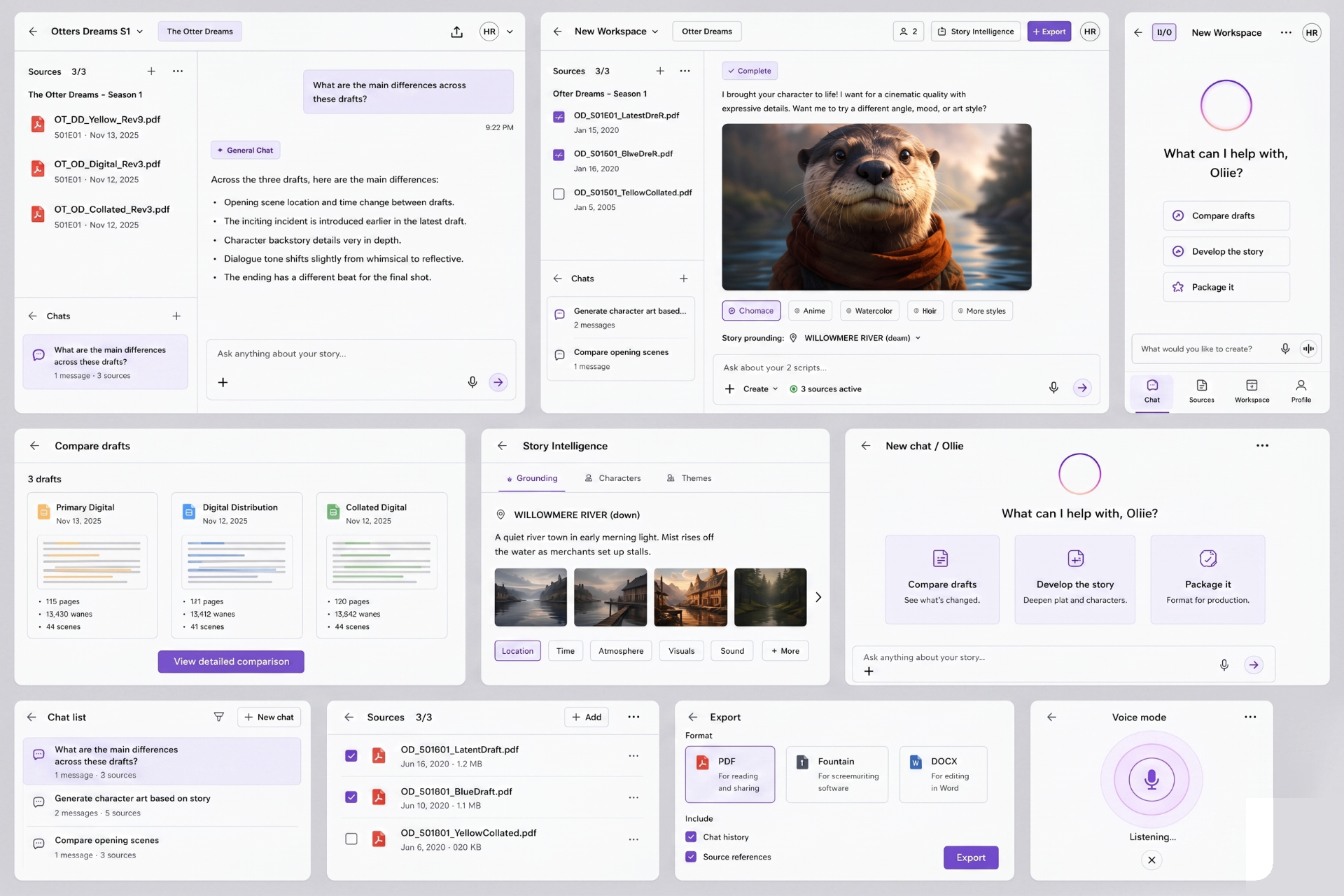
A home that remembersReturn to the productions and tasks already in motion.
A production with identityKey art, people, status, and scripts give the workspace a recognizable home.
The mobile workflowMoving through the mobile workspace and its creative tools.
Creative Review integrationExploration: bring screenplay context alongside the shot being reviewed.
02 / Trust in AI

Keep the evidence within reach.

People needed to question an AI interpretation before acting on it. I kept the screenplay beside the conversation and made citations part of each answer.

The screenplay stays in the conversation.Source material and answers share the same working surface.
Executive summaryA starting point for the synopsis, themes, and beats.
Script breakdownsCast, locations, props, and scene requirements in a structured view.
Explore the details
1 / 1
Connected story dataCharacters and relationships become entry points into the screenplay.
03 / Creative control

Give people the next move.

I connected generation to screenplay context, then designed ways to compare directions, edit a specific region, and develop material on a shared canvas.

Change the part. Keep the intent.Brush-mask editing preserves the surrounding image while a person directs a specific region.
A shared surface for developing the idea.The collaborative canvas gathers creative material so the team can compare and develop directions.
Character explorationVisual directions grounded in the writer’s descriptions.
Explore the details
1 / 4
Mood & atmosphereA visual vocabulary for the world of the story.
StoryboardsTurn a scene into a sequence the team can develop.
Costume directionWardrobe explored through character and scene context.
Creative ambition & costExplore visual directions at different investment levels.
04 / AI orchestration

Many capabilities. One coherent experience.

The interface was only half the design problem. I worked with engineering on the layer underneath: how a request finds the right expertise, carries the production’s context, and returns one grounded answer.
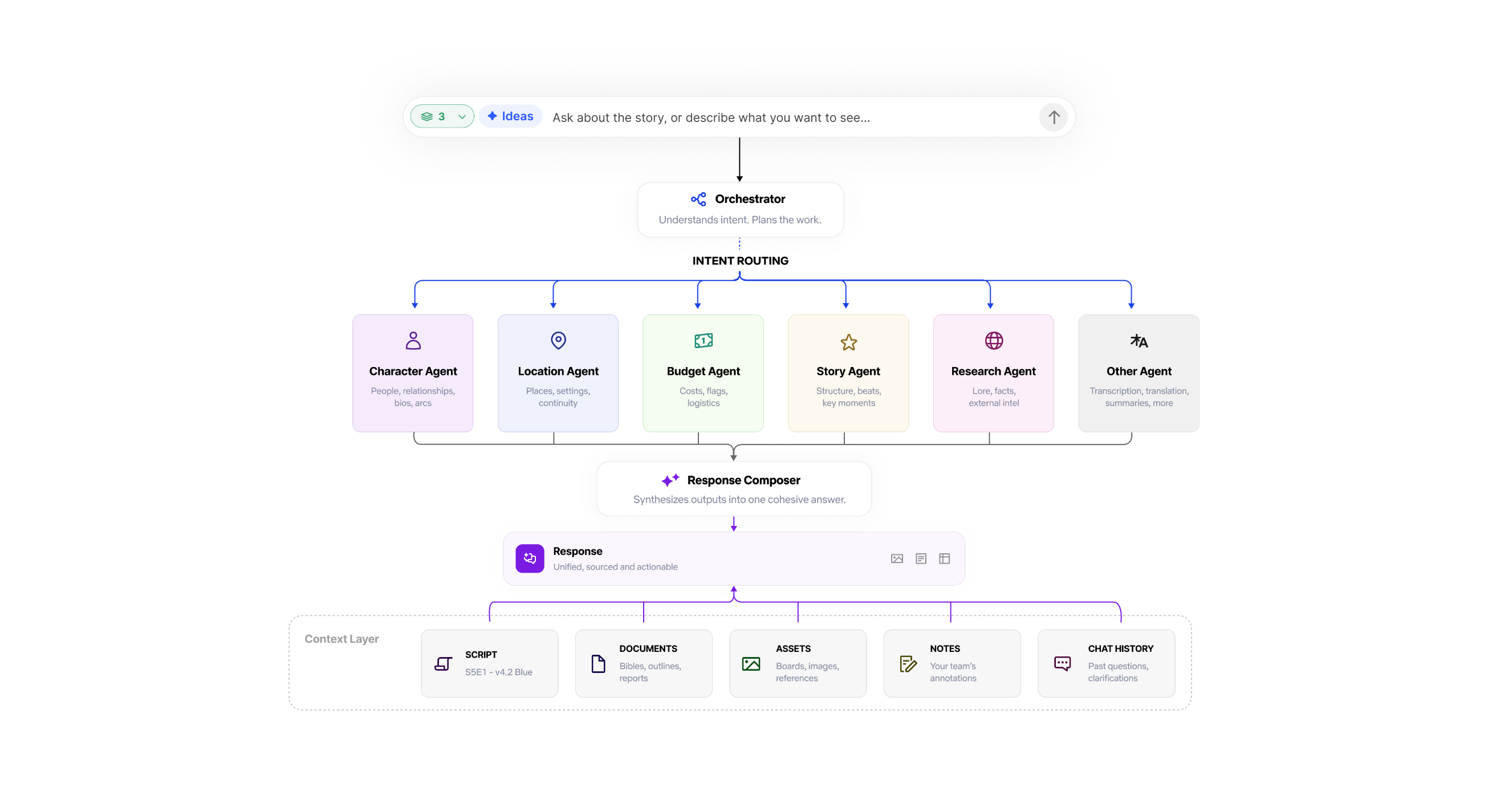
A user request reaches the orchestrator, which routes work to character, location, budget, story, research, or other agents. A response composer brings their outputs into one answer, grounded in scripts, documents, assets, notes, and chat history.
One request, coordinated behind the scenes.The orchestrator routes the work. Specialist agents contribute expertise. The composer returns one answer with shared production context.
The engineering tradeoff

Build agents first, or the layer that connects them?

Engineering wanted to ship visible agents first. I wanted to establish orchestration first, so those capabilities could work as one experience.

I reframed the foundation around the team’s roadmap: orchestration would make each subsequent agent faster to ship. That connected the experience we needed with engineering’s need to show momentum.

05 / Design leadership

Make the vision concrete enough to commit to.

Across eight partner organizations, I used sketches and working prototypes to help product, engineering, research, and leadership evaluate the same experience.
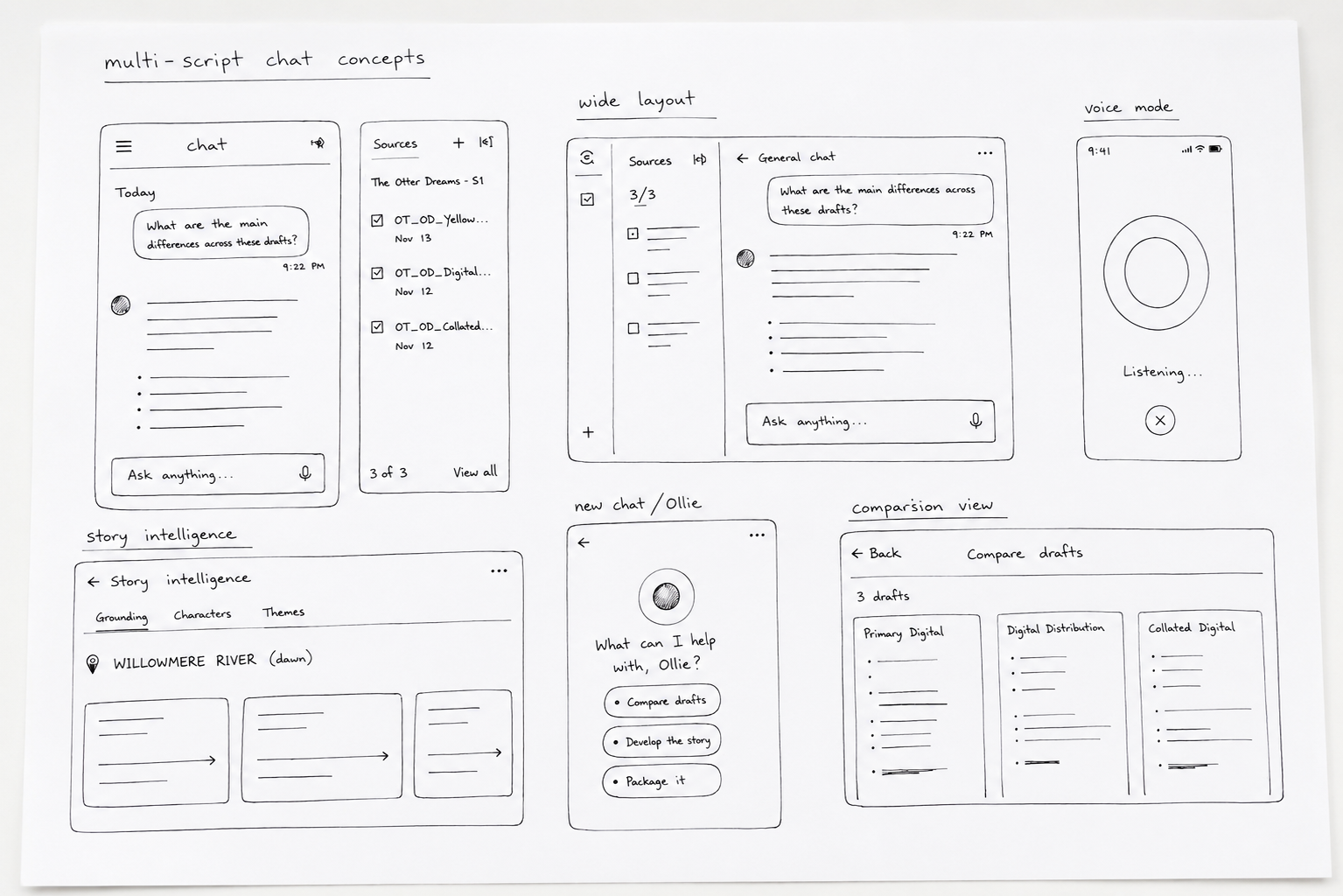
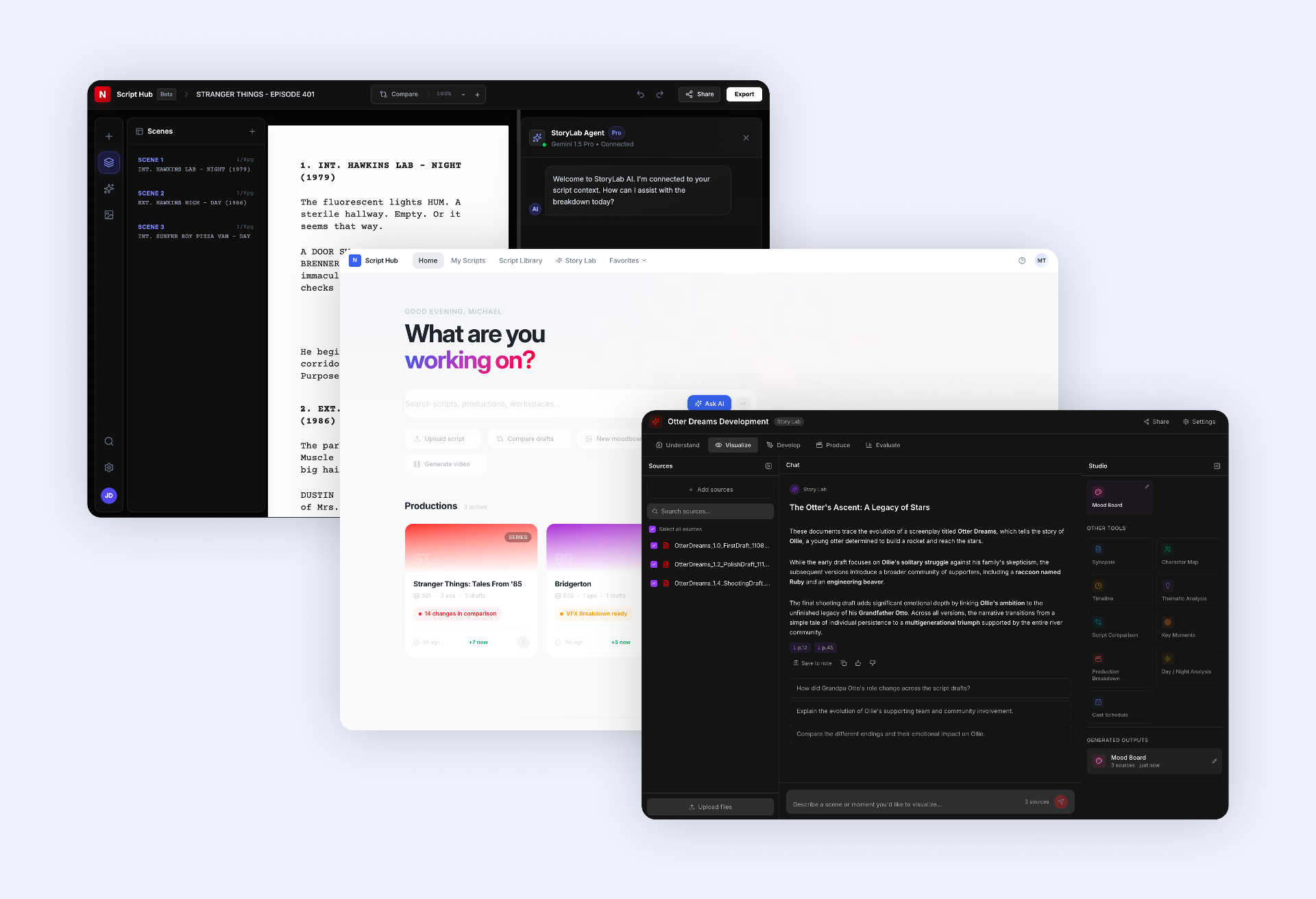
Sketching the alternatives
Sketching the alternativesMulti-script chat, story intelligence, and side-by-side comparison.
Directions we set aside
Directions we set asideFloating sidebars, autonomous agents, and cross-library chat.
Testing the hierarchy
Testing the hierarchyLayout, density, and panel structure at mid-fidelity.
Explore the details
1 / 2
A shared working surfaceTesting how the script, its context, and an AI collaborator could coexist.
Making the vision tangibleA working prototype for evaluating the direction and committing to the roadmap.
The impact

A pilot that became a funded program.

The pilot helped establish a funded, staffed Media 2030 program. Desktop and mobile shipped as one connected experience. The concepts that follow show further explorations, separate from that release.

Screenplay coverage
Weeks → hours
Across the 12-title pilot.
Organizations aligned
8
Around a shared product vision.
Desktop and mobile
Shipped
One connected workspace.
Beyond the launch

Extending the same idea.

These concepts explore how story context could support comparison, notes, visual development, and adjacent production workflows. They are separate from the shipped desktop and mobile experience.
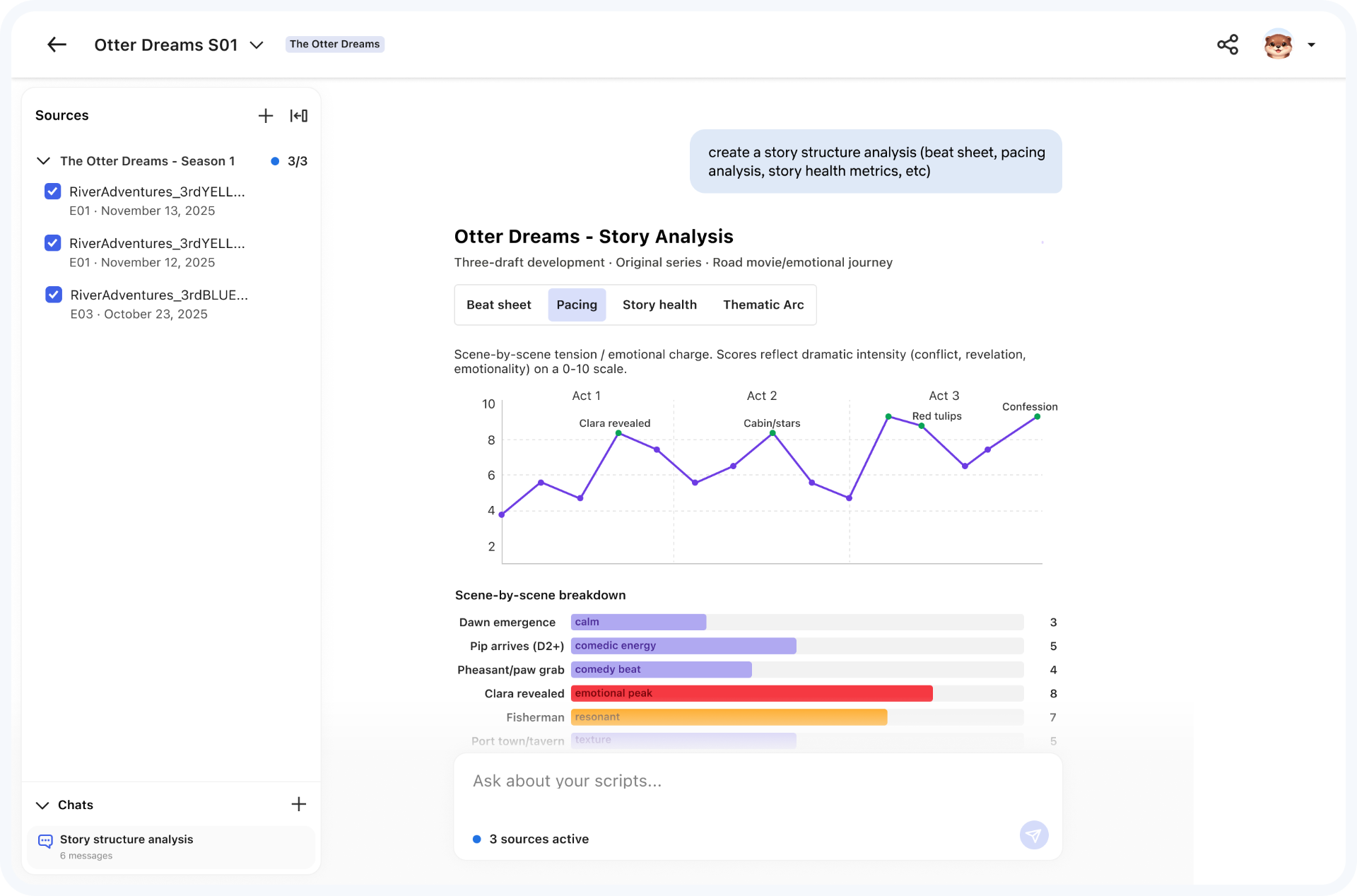
Story structure
Story structureConcept: beats, pacing, and story health beside the script.
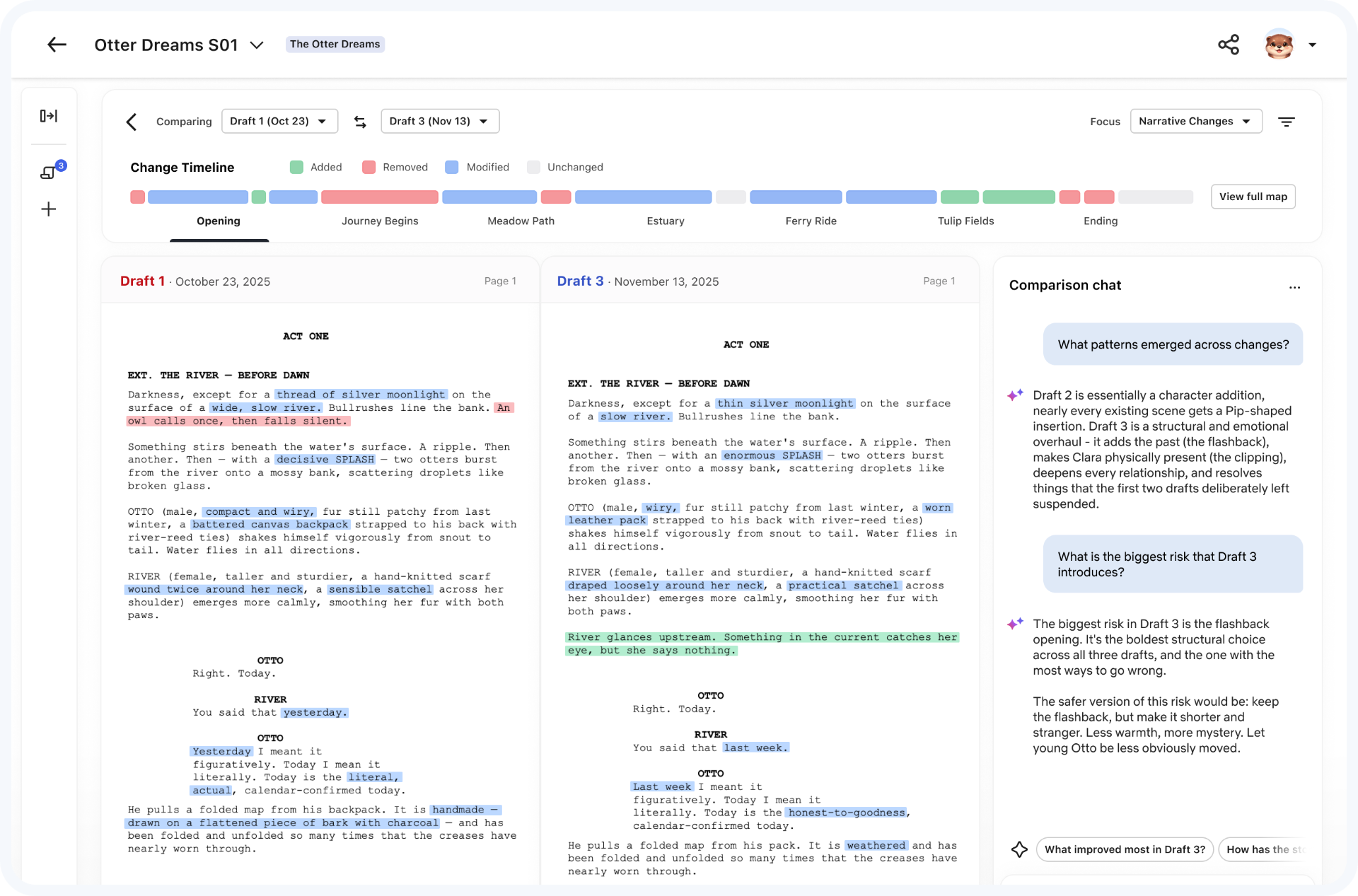
Draft comparison
Draft comparisonConcept: a timeline and conversation about what changed.
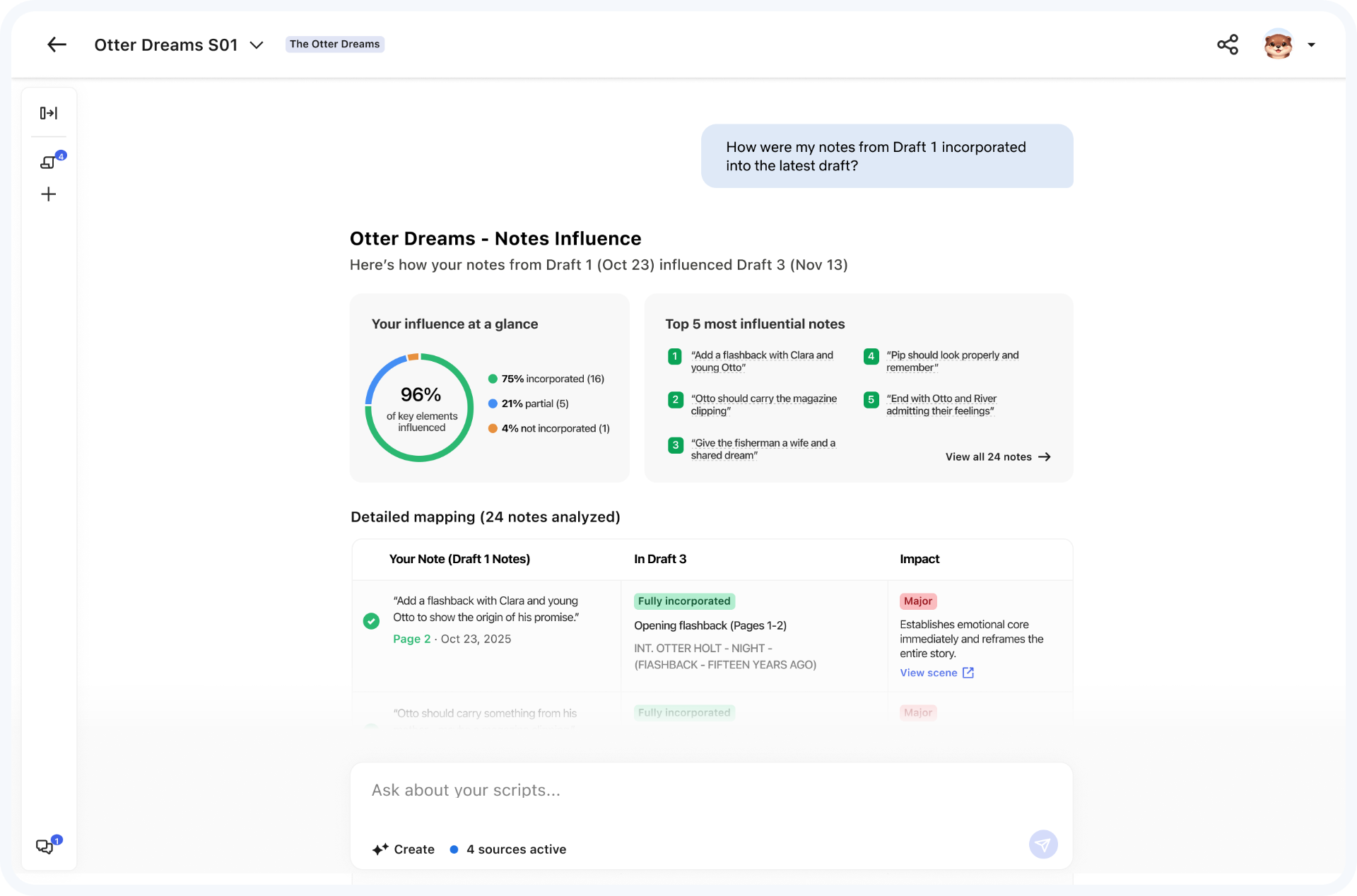
Notes & influence
Notes & influenceConcept: trace how feedback shaped the next draft.
Explore the details
1 / 3
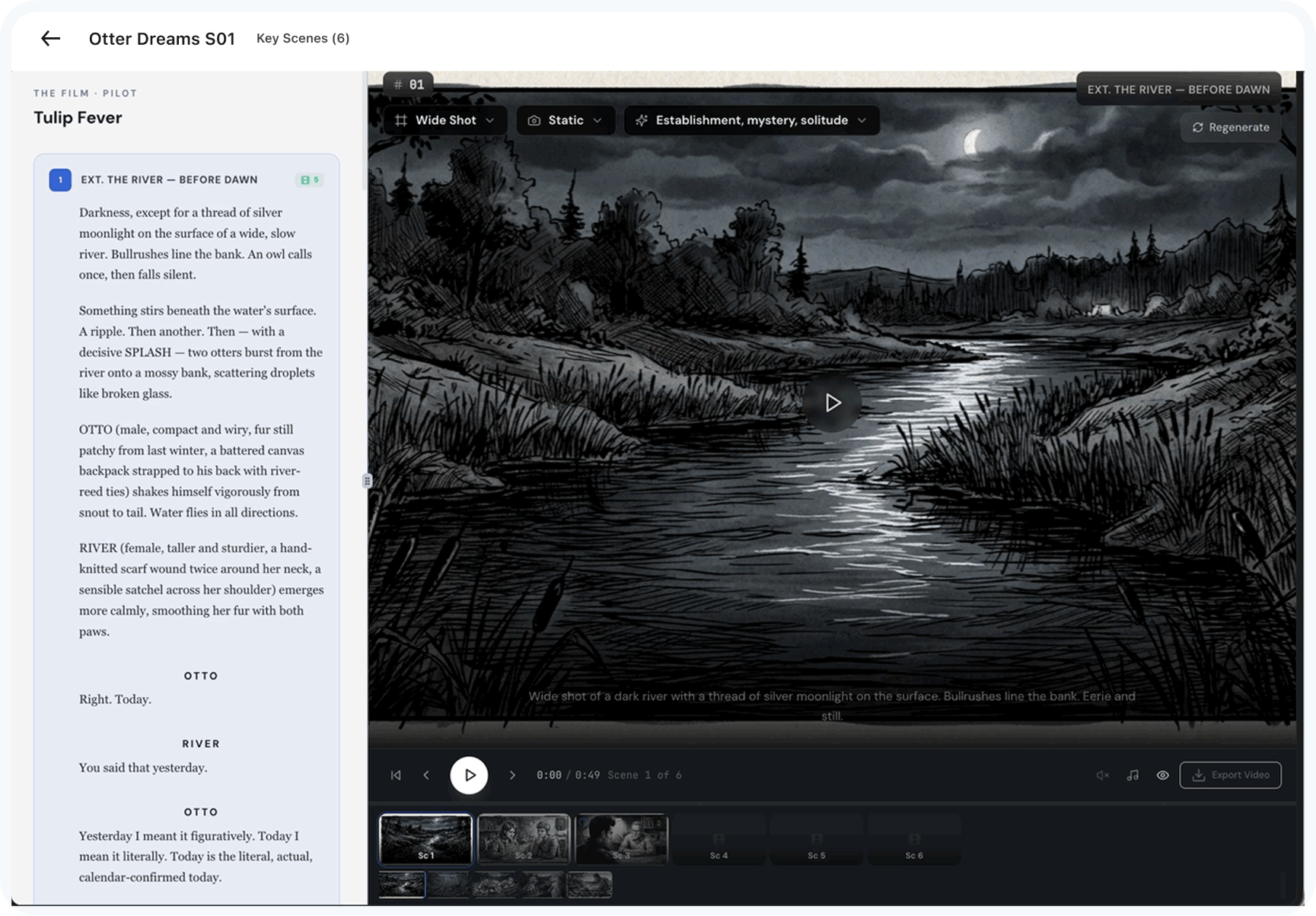
Key-scene animatics
Key-scene animaticsConcept: develop a cinematic pass of key scenes.
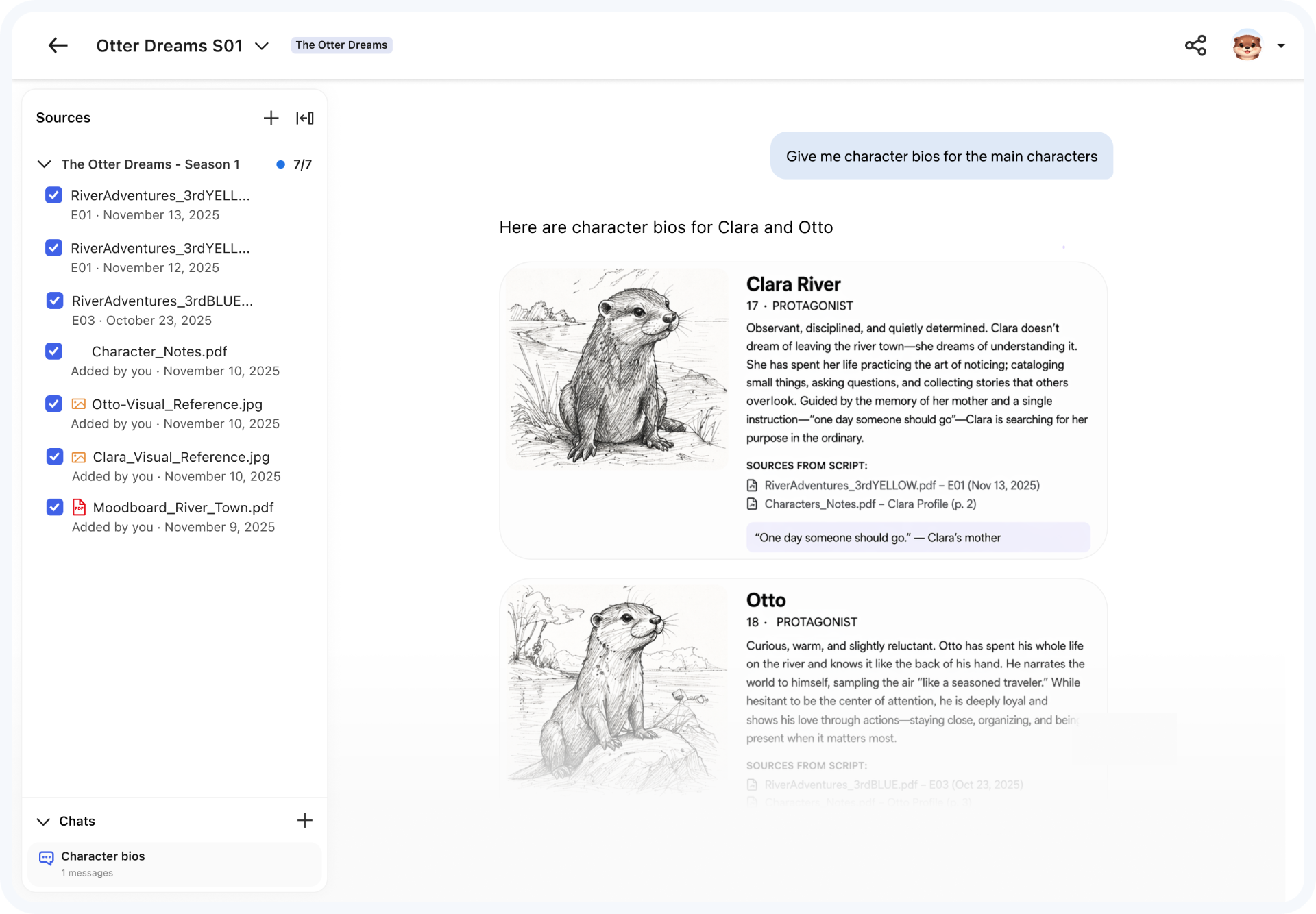
Character bios
Character biosConcept: visual references grounded in the screenplay.
Story Hub · Project filmA one-minute overview of the connected experience.

Next project

Mandala

A connected AI workspace for marketers

Brings strategy, audience insights, and creative production into one campaign workflow.

Explore the case study